Readwise 匯出到Heptabase使用分享

我的使用路徑是instapaper >readwise>heptabase
不過要會出到heptabase設定有點麻煩官網的連結點下去只會到heptabase官網
https://support.heptabase.com/en/articles/10447319-readwise-sync-q-a
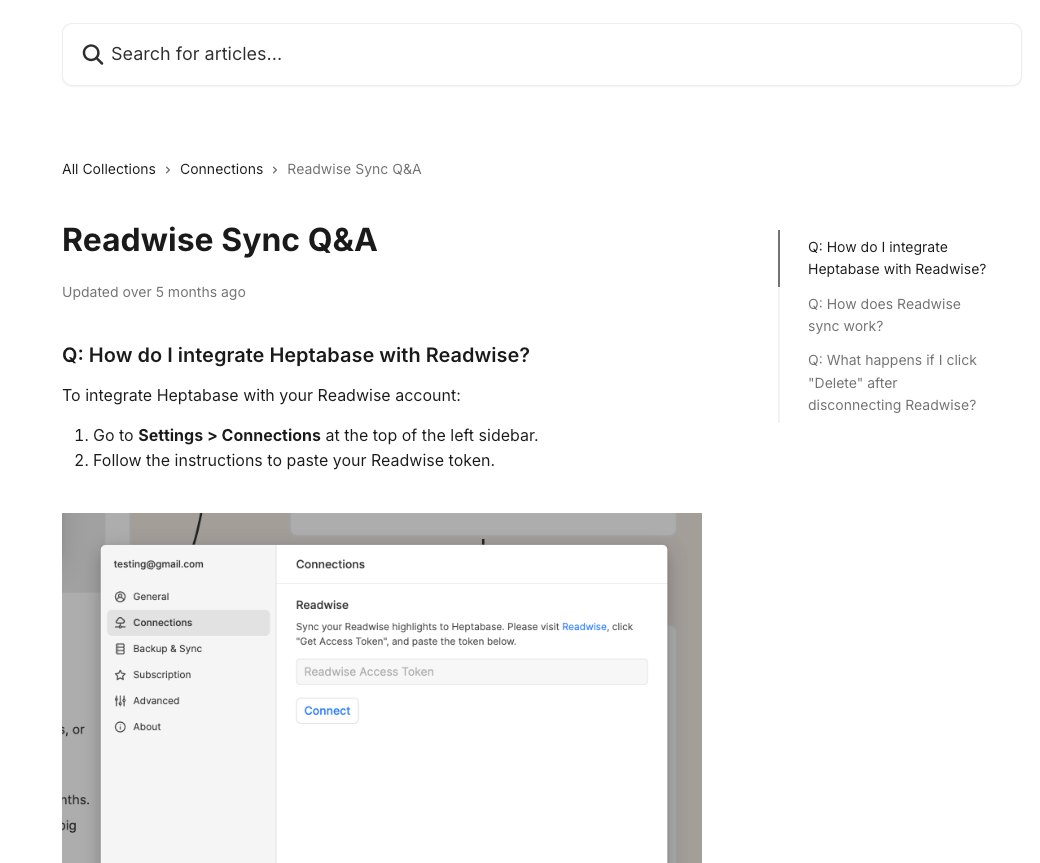
如圖所示,沒講readwise的token怎麼取得啊~
我又開始找readwise token
問了Gemini 回復如下
要連結 Readwise 和 Heptabase,你需要到 Readwise 取得 API Token,然後貼到 Heptabase 的設定中。
Readwise Token 的取得位置: 登入你的 Readwise 帳號。通常,API Token 會在 設定 (Settings) 或 整合/整合 (Integrations) 或 API 相關的頁面。你可以找找看有沒有標註為 API Token 或 Export Token 的選項。
將 Token 貼到 Heptabase 的步驟:開啟 Heptabase 應用程式。點擊左側欄上方的 Heptabase 圖示/名稱。進入 設定 (Settings)。 找到 連結 (Connections) 或 整合 (Integrations) 選項。在 Readwise 的對應欄位中貼上你從 Readwise 複製的 API Token,然後點擊連接 (Connect)。
如果你找不到 Readwise Token 的確切位置,建議直接在 Readwise 的網站上搜尋 "API Token" 或 "Export Token"。
readwise的設定根本沒有他說的頁面….
再去問perpelxity才找到網址
要把 Readwise 跟 Heptabase 串接,你需要先取得 Readwise Token,再把它貼到 Heptabase 裡的設定介面。以下是完整步驟:1. 查找 Readwise Token
到 Readwise 官方頁面登入後,進入下列網址即可看到你的 Access Token:https://readwise.io/access_token這個 token 即是用來讓其他應用程式(例如 Heptabase)讀取你的 Readwise 資料的授權碼 。lobehub+3
若你想驗證 token 是否有效,也可以發出 GET 請求到:
回傳狀態碼 204 代表有效 。readwise+12. 在 Heptabase 內設定串接打開 Heptabase,點選左側邊欄最上方的「⚙️ 設定」。點進 Connections(連線)。選擇 Readwise。將你剛剛在 Readwise 網站上複製的 Token 貼上去。確認後,即可完成串接 。evolvingvillage+1
完成後,Heptabase 會同步你的 Readwise 筆記,每 15 秒自動更新一次。你可以在左側的 Highlights 區域看到所有筆記,或直接把它們拖曳到白板使用 。heptabasehttps://lobehub.com/zh-TW/mcp/edricgsh-readwise-reader-mcphttps://readwise.io/api_deetshttps://readwise.io/reader_apihttps://readwise.io/access_tokenhttps://evolvingvillage.com/readwise/https://support.heptabase.com/zh-TW/articles/10447319-readwise-%E7%9B%B8%E9%97%9C%E5%95%8F%E9%A1%8Chttps://lobehub.com/zh-TW/mcp/readwiseio-readwise-mcphttps://gomrcuriosity.com/readwise-reader-interface/https://gomrcuriosity.com/reading-with-readwise-reader-and-heptabase/https://www.reddit.com/r/readwise/comments/pvoxd2/readwise_apiaccess_token/https://www.pressplay.cc/project/148B74E70523C7A7E260484F9B6825CB/articles/BDD4473338F1CF69DA736518741BEACFhttps://pypi.org/project/readwise-api/https://lifehacker.tw/courses/readwise-heptabasehttps://freeshiuan.com/readwise-readwisereader-review/https://learn.microsoft.com/en-us/connectors/readwiseip/https://www.reddit.com/r/PKMS/comments/1en4o96/heptabase_and_readwise_workflow/https://www.raycast.com/natterstefan/readwisehttps://raymondhouch.com/lifehacker/digital-workflow/readwise-reader-tutorial/https://blog.readwise.io/p/f8c0f71c-fe5f-4025-af57-f9f65c53fed7/https://vocus.cc/article/66863e71fd89780001898829
💡
好的~所以要串連readwise跟heptabase取token的網址如下https://readwise.io/access_token
拿到token以後就可以照下列步驟順利申請了
步驟一:回到Heptabase打開設定裡的connection

步驟二:把token貼上去,connect按下去
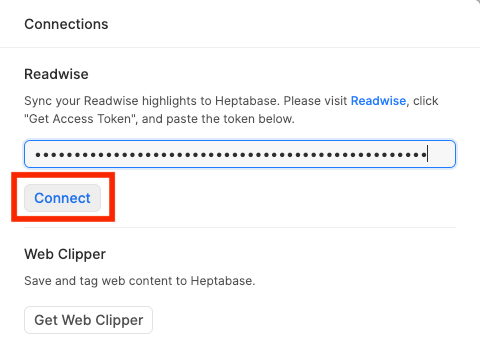
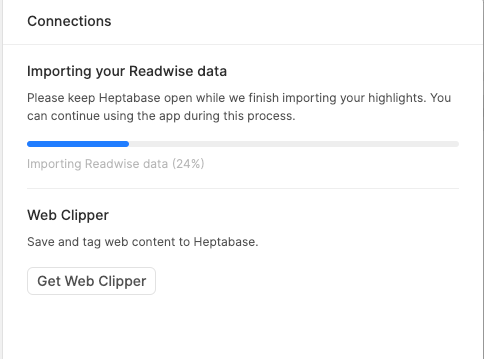
步驟三:跑完就設定完成了👍